# Group Locations
> Source: https://help.loafly.io/group-locations | Updated: 2026-08-04T15:43:09Z
Group locations allow you to create, manage and assign a location to your group. The location can be physical address OR simply a name, such as “The Youth Center”
Locations can show an exact location on a map OR can show a radius, to help give your potential group signup a approximate location, but still obscure the exact address and maintain privacy for those locations such as a person’s
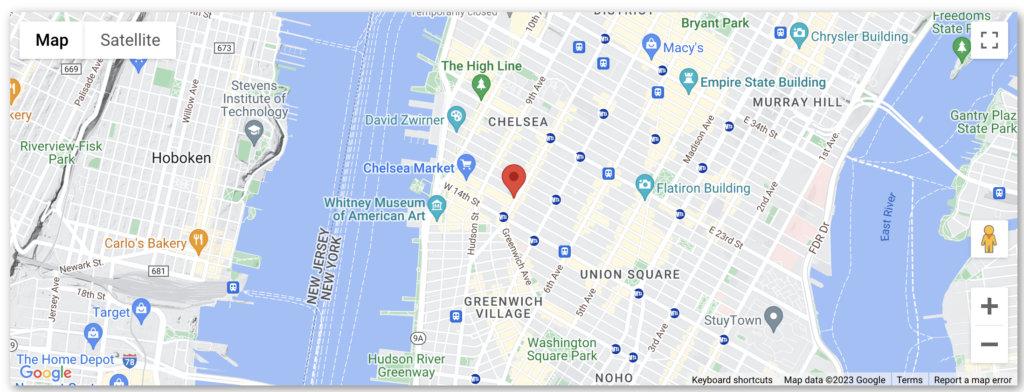 Example Exact Location
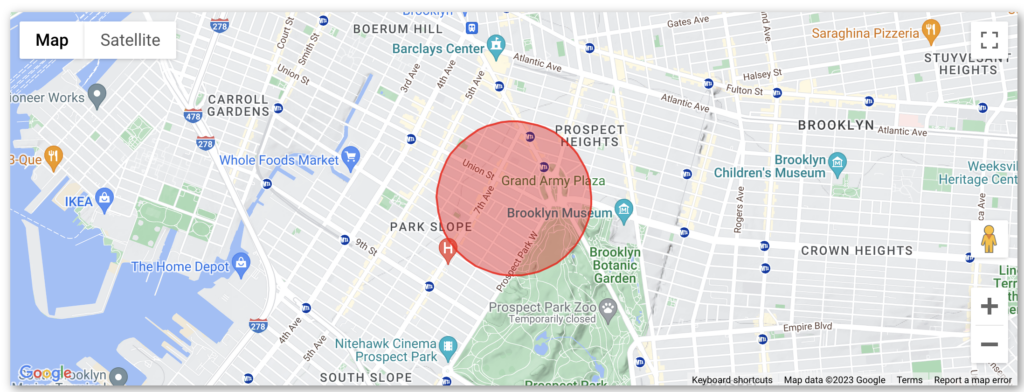 Example Radius
**Creating Group Locations**
From the Group Settings Page in the Group Meeting Locations section click the “Edit Locations” button
To create a new location, click the blue + icon
Example Radius
**Creating Group Locations**
From the Group Settings Page in the Group Meeting Locations section click the “Edit Locations” button
To create a new location, click the blue + icon
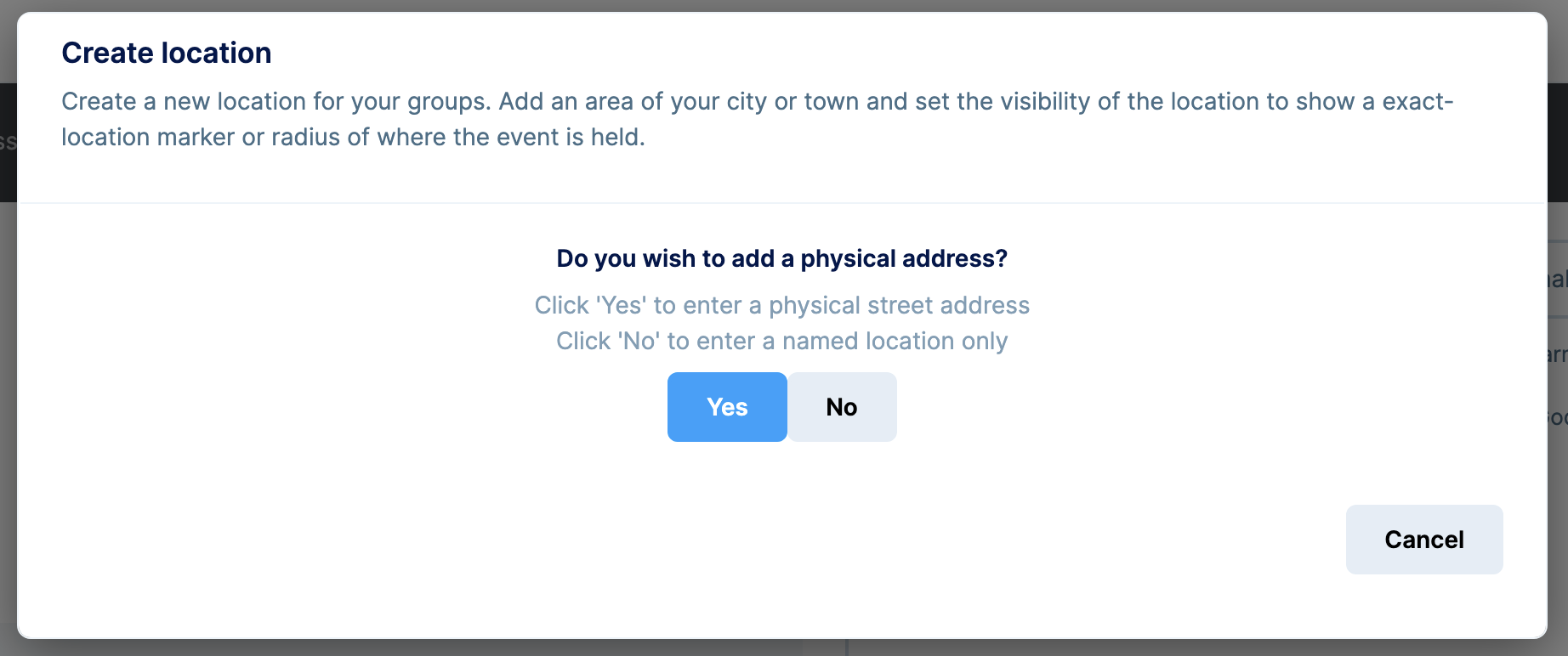
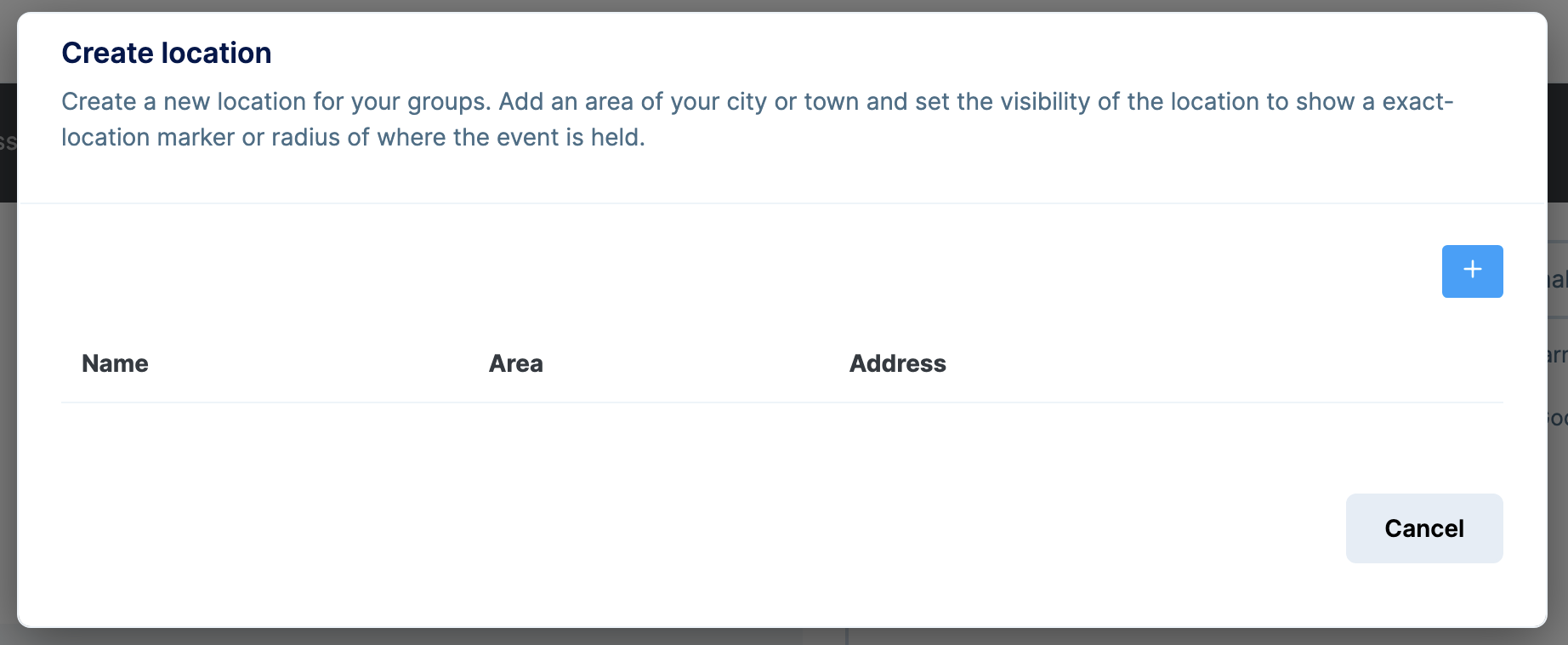 If you wish to show the location on a map choose “Yes”, otherwise, to create a named location (such as “Youth Center”) click “No”.
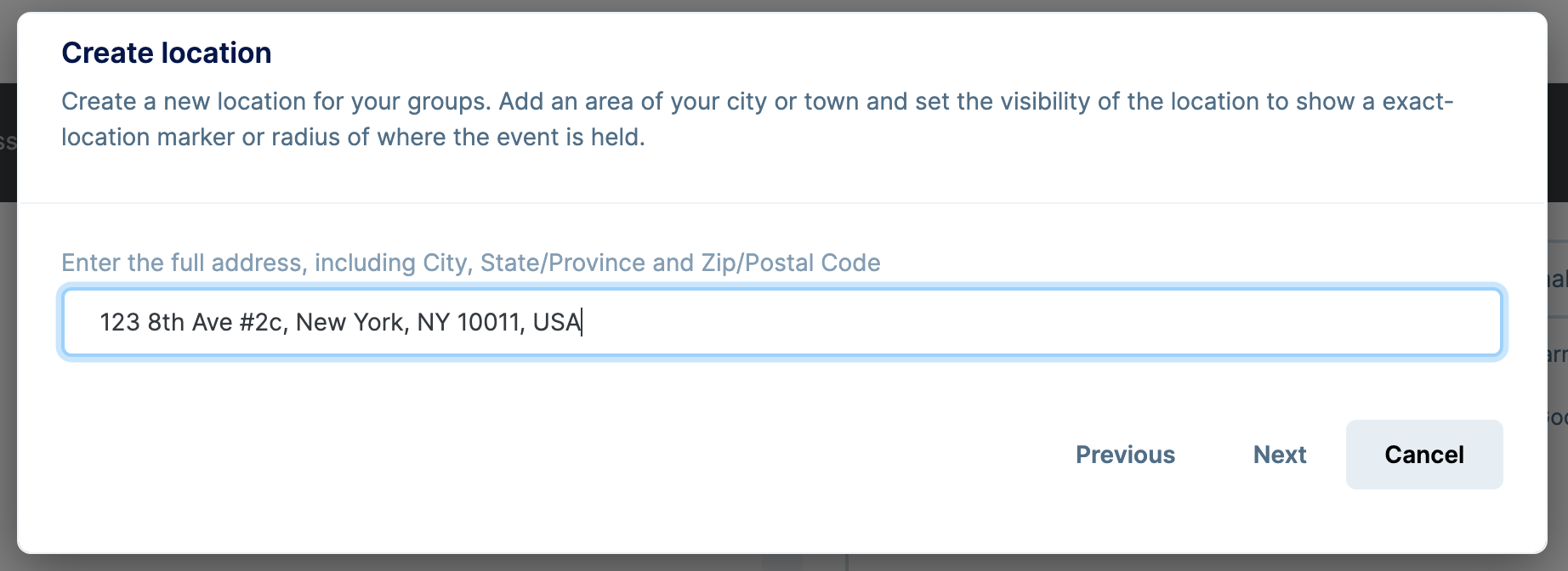
 Enter the address. The address should be a complete, valid address. You can verify the position on a map on the next screen.
Click “Next” to continue.
Enter the address. The address should be a complete, valid address. You can verify the position on a map on the next screen.
Click “Next” to continue.
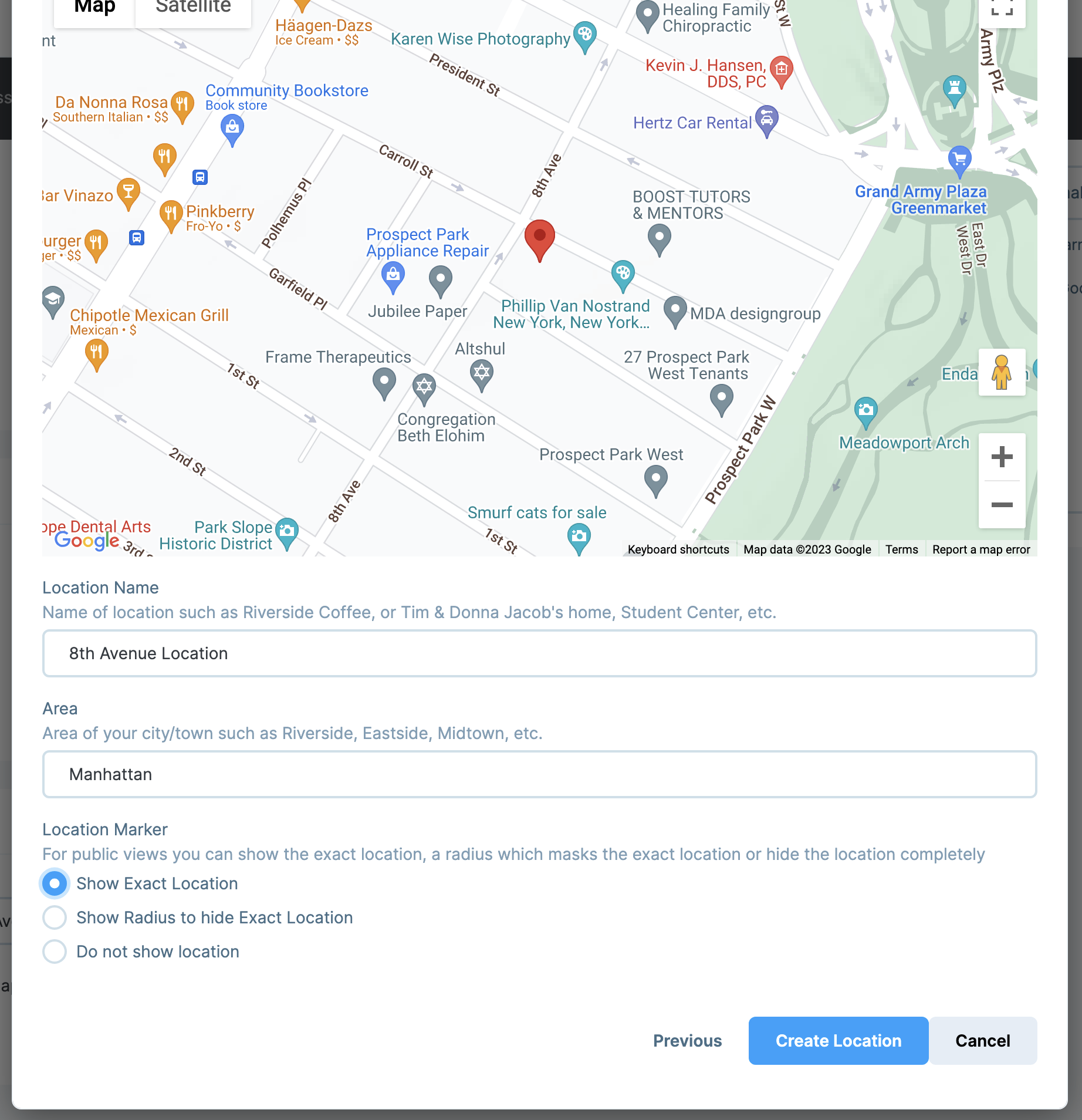
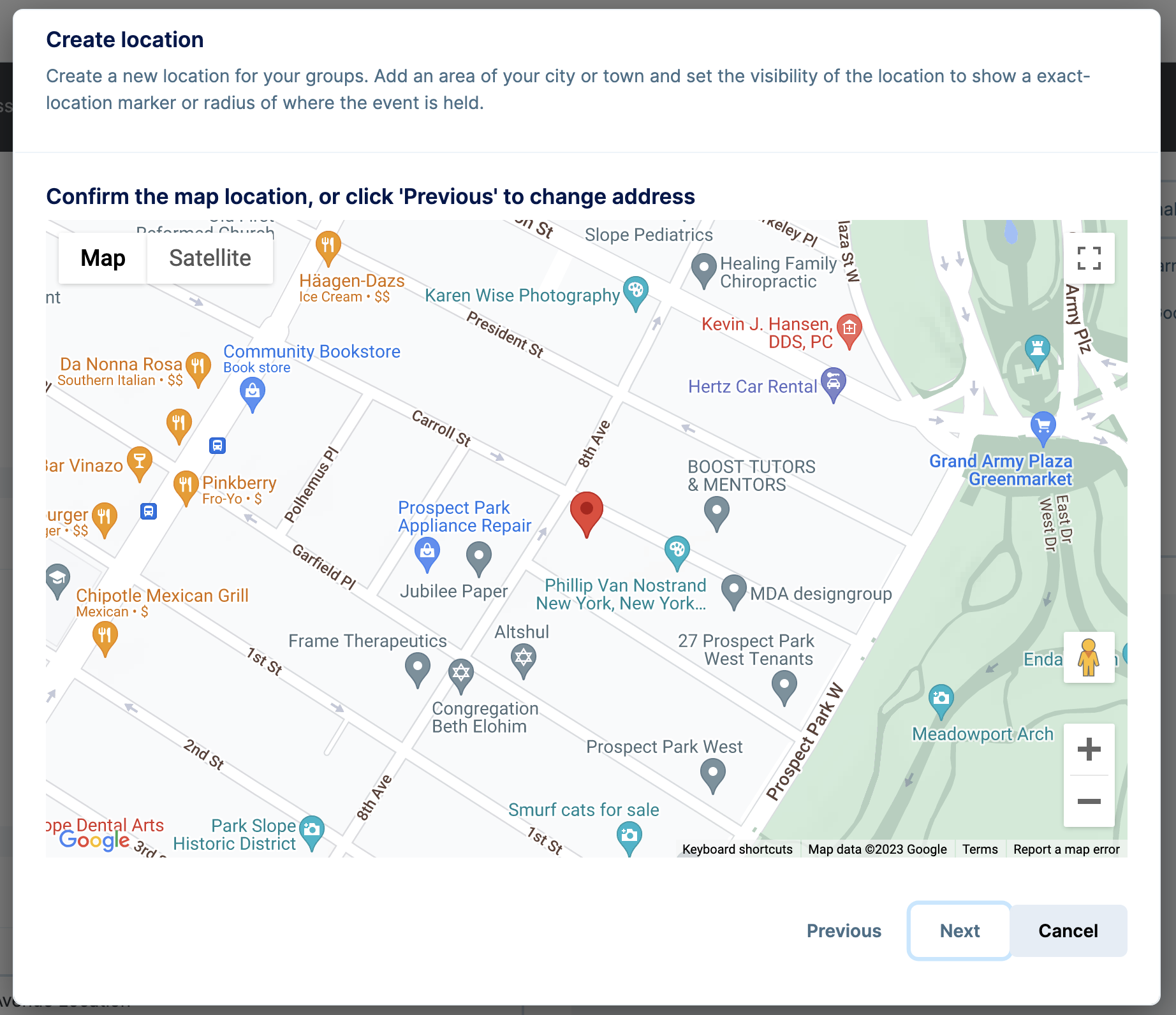
 Verify the location by reviewing the map. If it is incorrect, click “Previous” to correct it.
Click “Next” to continue.
Verify the location by reviewing the map. If it is incorrect, click “Previous” to correct it.
Click “Next” to continue.
 **Location Name**: Give your location a “Name” to be shown in the location selector as well as on the Group Listing
**Area**: Give you group an optional “Area” location (such as the name of a neighborhood, suburb, hamlet, etc.)
**Location Marker:**
- Show Exact Location: shows the exact location on the map
- Show Radius to hide Exact Location: shows an approximate radius/circle on the map ( to hide exact locations for more sensitive locations such as people’s homes)
- Do not show location: do not show the location on a mpa
Click “Create Location” to create the location.
**Location Name**: Give your location a “Name” to be shown in the location selector as well as on the Group Listing
**Area**: Give you group an optional “Area” location (such as the name of a neighborhood, suburb, hamlet, etc.)
**Location Marker:**
- Show Exact Location: shows the exact location on the map
- Show Radius to hide Exact Location: shows an approximate radius/circle on the map ( to hide exact locations for more sensitive locations such as people’s homes)
- Do not show location: do not show the location on a mpa
Click “Create Location” to create the location.