AAcme IncHelp center
All articlesContactContact supportSign inSign up
Browse
  • FAQs
  • Tutorials
  • Help Center
    • Getting Started
    • People & Families
    • Community
    • Calendar Events
    • Groups
    • Online Giving
    • Contributions
    • Messaging
    • Tags
    • Attendance/Check-In
    • Service Planner
    • Volunteers
    • Workflows
    • Forms
    • Dashboard & Reports
    • Background Checks
    • Account Info
      • Users [Overview Video]
      • Inviting Users to Faith Teams
      • Updating your Church Profile Info
      • Creating your Subdomain
      • Changing your Faith Teams Password
      • View your Billing History
    • Other
Help center/Help Center/Account Info

Changing your Faith Teams Password

Updated Aug 4, 2026·1 min read

Need to change your Faith Teams password? Click your name in the corner of the screen and then click password.
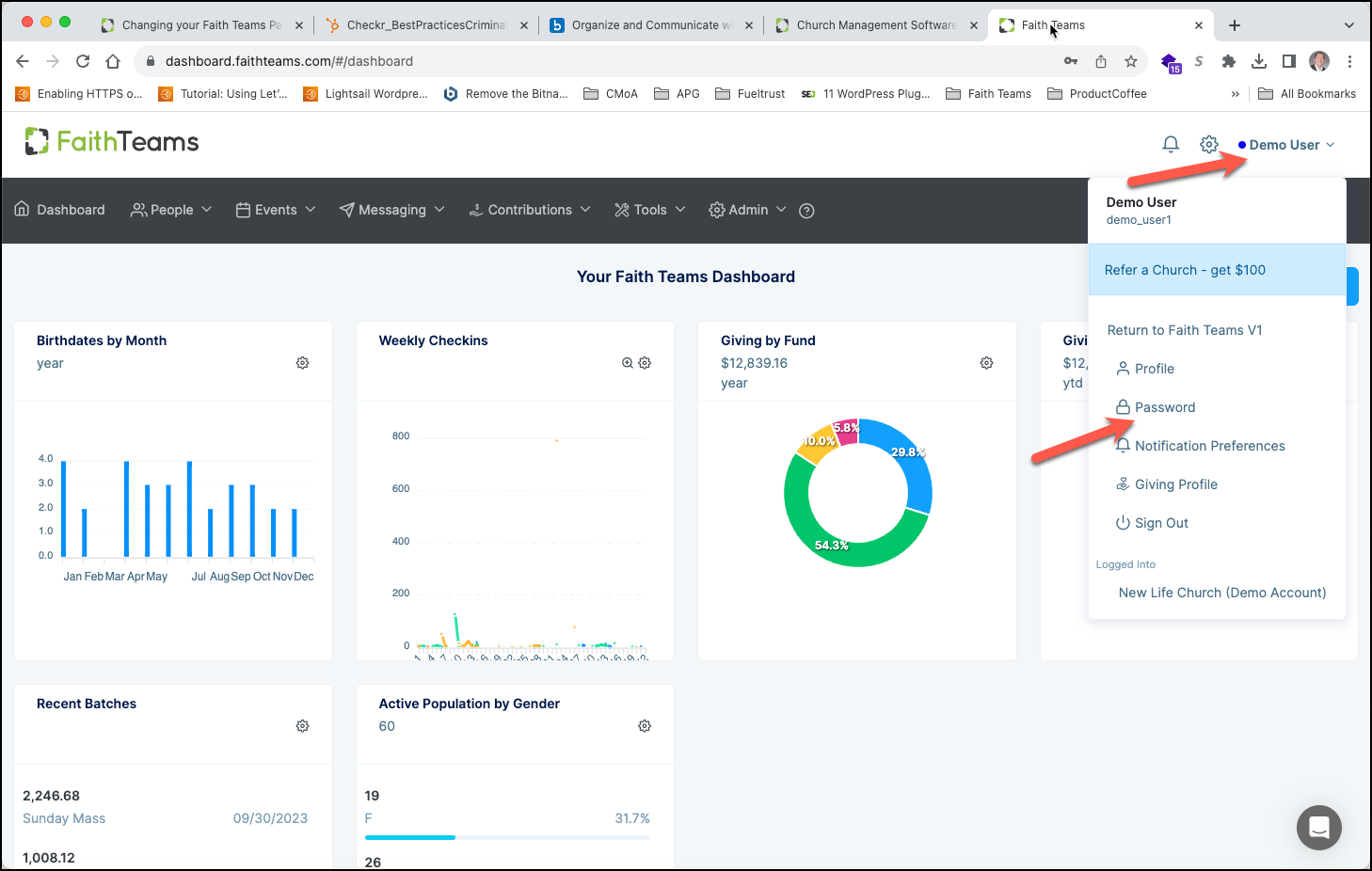
  1. From within your Faith Teams account, click your NAME in the top right corner.
  2. Click “Password”.
  3. Input, then Re-Enter your New Password.
  4. Click “Save”.
Was this article helpful?

Related articles

View your Billing HistoryUpdating your Church Profile InfoCreating your SubdomainInviting Users to Faith TeamsUsers [Overview Video]
PreviousCreating your SubdomainNextView your Billing History
© 2026 Acme Inc
Help centerContact supportPowered by BlueHill