AAcme IncHelp center
Ask AIAll articlesContactContact supportSign inSign up
Browse
  • FAQs
  • Tutorials
  • Help Center
    • Getting Started
    • People & Families
    • Community
    • Calendar Events
    • Groups
    • Online Giving
    • Contributions
    • Messaging
    • Tags
    • Attendance/Check-In
    • Service Planner
    • Volunteers
    • Workflows
    • Forms
    • Dashboard & Reports
    • Background Checks
    • Account Info
      • Users [Overview Video]
      • Inviting Users to Faith Teams
      • Updating your Church Profile Info
      • Creating your Subdomain
      • Changing your Faith Teams Password
      • View your Billing History
    • Other
  • Connecting your bank account
  • Resetting your password
Help center/Help Center/Account Info

Updating your Church Profile Info

Updated Aug 4, 2026·1 min read

How to update your church profile in Faith Teams. You can change your church profile information, such as Name, Address, Phone Number
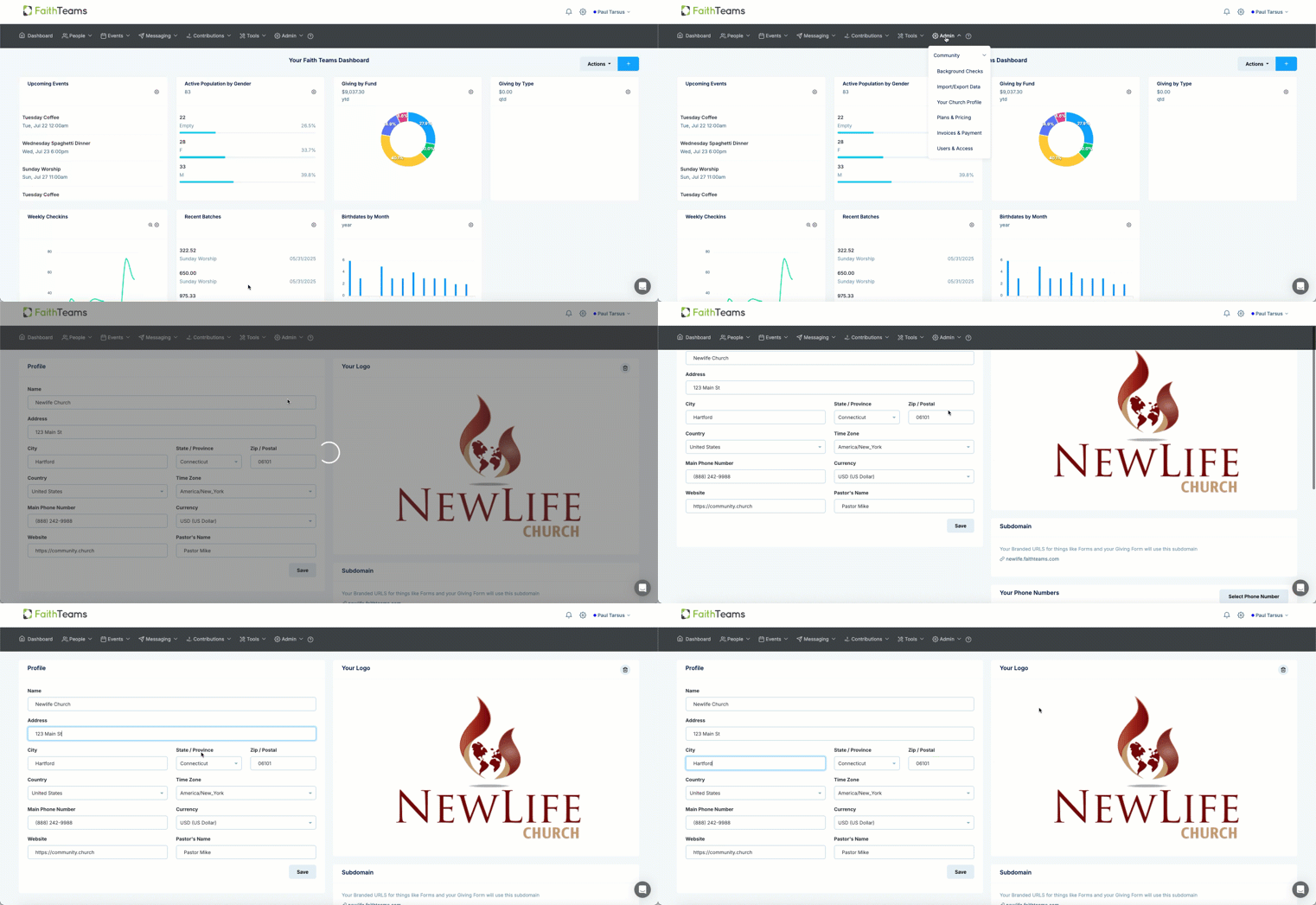
  1. From the menu, click “Admin”
  2. Click “Your Church Profile”.

On the left side of the screen, you can change your church profile information, such as Name, Address, Phone Number, etc.

Was this article helpful?

Related articles

Changing your Faith Teams PasswordView your Billing HistoryCreating your SubdomainInviting Users to Faith TeamsUsers [Overview Video]
PreviousInviting Users to Faith TeamsNextCreating your Subdomain
© 2026 Acme Inc
Help centerContact supportPowered by BlueHill